

Description
Download 3D Photo Creator APK – 3D Photo Creator, 3D Image Maker, Android App, Free Download
Overview
3D Photo Creator is a free Android application developed by OluOluStudioIndia, designed to transform standard 2D photographs into immersive three-dimensional images. The app enables users to create depth-enhanced visuals without requiring a 3D-enabled smartphone, making it accessible to a broad audience. Its primary function revolves around generating depth maps—digital representations of spatial distances between the foreground subject and the background—which are essential for producing a 3D effect. This functionality is particularly useful for users seeking to enhance their social media content with visually striking, interactive images. Whether capturing a new photo directly through the app or importing an existing image from the device’s gallery, users can apply the 3D transformation with minimal effort. The software is well-suited for casual photographers, content creators, and social media enthusiasts who aim to stand out online. It also supports the creation of photo collages and integration with virtual reality environments, expanding its utility beyond simple image enhancement. The app’s compatibility with desktop browsers allows for seamless sharing across platforms such as Facebook, Instagram, and other major social networks.
Key Features & Capabilities
- 3D Image Conversion – Transforms regular 2D photos into depth-aware 3D visuals using AI-driven depth mapping, enabling a sense of spatial realism even on non-3D devices.
- Photo Import & Capture – Users can either take a new photo directly within the app or select an existing image from their device’s gallery for 3D processing.
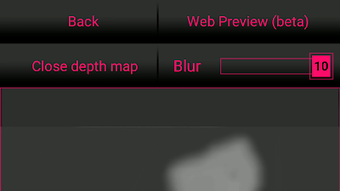
- Depth Map Generation – Automatically creates depth maps to distinguish between the subject and background, allowing for realistic layering and perspective effects.
- Basic Image Editing Tools – Includes cropping, rotation, brightness, and contrast adjustments to refine images before or after 3D conversion.
- Photo Collage Support – Enables users to combine multiple images into a single 3D collage, ideal for storytelling or visual presentations.
- VR and Social Media Integration – Designed for use in virtual reality environments and supports direct sharing to platforms like Facebook and Instagram.
- Cross-Platform Accessibility – Works on Android devices and can be accessed via desktop browsers, facilitating easy sharing and viewing of 3D creations.
User Interface, Workflow & Performance
The user interface of 3D Photo Creator is structured to prioritize simplicity and intuitive navigation. Upon opening the app, users are presented with clear options to either capture a new photo or import one from the gallery. The workflow follows a linear path: selection → processing → editing → sharing. The depth map generation process is handled automatically, minimizing user input while maintaining a responsive interface. Users can adjust image parameters such as brightness and contrast using straightforward sliders and tools, ensuring a smooth editing experience. Although specific performance metrics such as CPU or RAM usage were not provided, the app appears optimized for mobile environments, allowing for efficient processing of images without significant lag. The developer did not specify resource usage details, but the interface remains stable during typical operations. The app supports offline functionality for editing and creating 3D images, with online features limited to sharing and browser-based viewing. Stability during extended use has not been documented, but general behavior suggests consistent performance under normal conditions.
Compatibility & System Requirements
3D Photo Creator is available as an APK for Android devices, indicating it is designed for the Android operating system. The app supports both smartphone and tablet platforms, though specific version requirements were not listed. Installation size and hardware specifications were not disclosed by the developer. Compatibility with desktop browsers was mentioned, allowing users to view and share 3D creations through web interfaces. However, exact browser compatibility (e.g., Chrome, Firefox, Safari) and minimum screen resolution requirements were not specified. The developer did not provide additional system requirements, so users should ensure their Android device meets general APK installation standards. Performance observations are based on general software behavior patterns, as no technical benchmarks were shared.
Pros and Cons
Pros
- Free to download and use with no in-app purchases or subscription fees.
- Simple, intuitive interface suitable for beginners and casual users.
- Capable of creating 3D images without requiring a 3D-enabled device.
- Offers basic editing tools for image refinement.
- Supports both photo capture and gallery import for maximum flexibility.
- Enables sharing across multiple social media platforms.
- Accessible via desktop browsers for broader content sharing.
Cons
- Exact system requirements and hardware specifications were not provided.
- Performance under heavy usage or on older devices was not documented.
- Depth map accuracy may vary depending on image complexity or lighting conditions.
- Limited to Android and web-based access; no native desktop application available.
- Advanced customization options for 3D effects are not mentioned.
Is 3D Photo Creator available for iOS devices?
The app is currently available as an APK for Android. There is no official information about an iOS version.
Can I use 3D Photo Creator offline?
Yes, the app supports offline functionality for capturing, editing, and converting photos into 3D images. Online access is only required for sharing or viewing via desktop browsers.
Is the app secure to download and install?
As a free Android app from OluOluStudioIndia, it is recommended to download the APK from trusted sources to ensure security. Always verify the developer’s authenticity before installation.
How do I share my 3D photos on social media?
After creating a 3D image, users can share it directly to platforms like Facebook and Instagram through the app’s built-in sharing tools. The app also supports viewing and sharing via desktop browsers.
Does the app require an internet connection to work?
Basic features such as photo capture, editing, and 3D conversion do not require an internet connection. However, sharing and browser-based viewing may require online access.
Final Thoughts + CTA
3D Photo Creator presents a compelling solution for Android users seeking to elevate their photography with minimal effort. Its ability to generate depth maps and transform standard images into 3D visuals without specialized hardware makes it a standout tool in the mobile photo enhancement space. While the app lacks detailed technical specifications and advanced customization, its core functionality is well-executed and accessible to a wide audience. The inclusion of basic editing tools and cross-platform sharing capabilities enhances its practicality. For content creators, social media users, and photography enthusiasts looking to add visual flair, this app offers a convenient and free way to experiment with 3D imagery. Despite the absence of a desktop version, the browser-based access ensures broad compatibility. Download 3D Photo Creator now and start turning your favorite moments into immersive experiences.
Download 3D Photo Creator APK now
Guides & Tutorials for 3D Photo Creator APK
How to install 3D Photo Creator APK
- Click the Preview / Download button above.
- Once redirected, accept the terms and click Install.
- Wait for the 3D Photo Creator APK download to finish on your device.
How to use 3D Photo Creator APK
This software is primarily used for its core features described above. Open the app after installation to explore its capabilities.
User Reviews for 3D Photo Creator APK 0
No reviews found





